Linux modem juggling
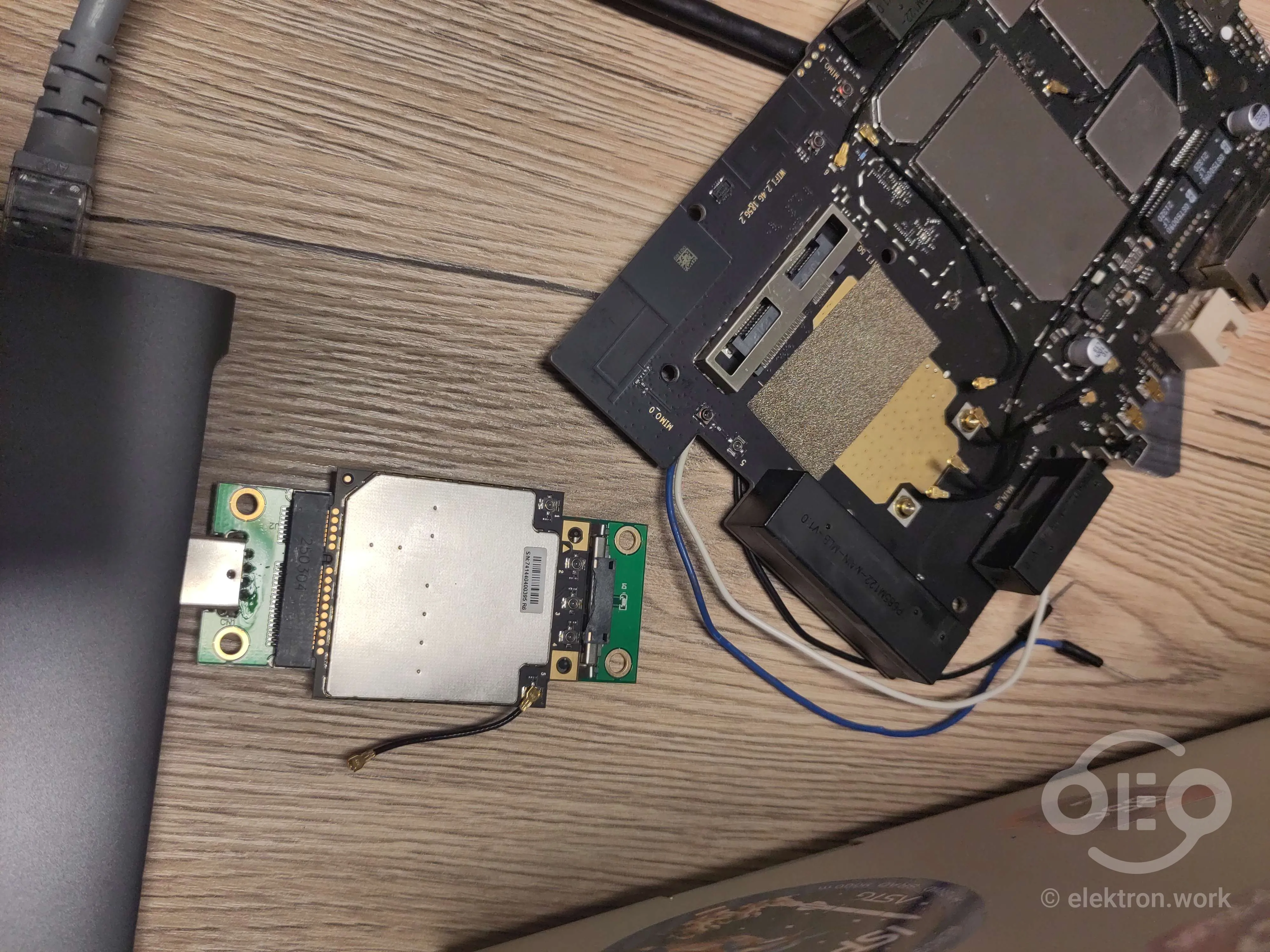
Recently, @c2vi, @Chiral and I tried to get OpenWrt working on an OEM router that wasn’t officially supported yet (ZTE-MF289D).
@c2vi was able to get OpenWrt to boot thanks to this OpenWrt fork, see his post for more details (this post is only about the modem).
Even though OpenWrt was running, we still had issues getting the LTE modem of the router to work. The modem internally uses a USB connection and to make sure it works at all and is supported by the “standard” linux drivers, we wanted to connect it to a regular computer using a USB adapter (see thumbnail) for testing.
However, since @c2vi’s computer setup was still “under construction” and we didn’t trust that the modem would work with it. Instead, we wanted to use a relatively standard NixOS install with GNOME desktop, which has relatively good builtin support for modems (nothing special, but good GUI integration with ModemManager).
Instead of setting up a new VM or machine at @c2vi’s place, we decided to physically plug it in to his PC and virtually connect the modem to my computer via USB-IP. The direct network connection was established via our Netbird instance (PPCNET). This worked surprisingly well (much better than I thought), probably thank’s to the fact that both of us were connected using fast fiber internet connections.
After some fiddling with APN and SIM configurations in the GNOME UI / NetworkManager / ModemManager config, we managed to connect it to the LTE network (even without ANY antennas) and get an IP address. To properly test it though, we somehow had to route the network traffic from a specific testing process through the modem, while keeping all other traffic running through my existing internet connection. Routing all traffic to the modem wouldn’t work, because we would loose the USB-IP connection to the modem itself.
There may be an easier way we missed, but we managed to achieve this by creating a network namespace (called “sebimodem”) to “capture” and funnel all traffic of our test software (e.g. a simple ping command) through a virtual ethernet interface. The interface is part of a virtual ethernet pair, which means that all traffic flowing into it inside the namespace reappears at the paired interface, in our case outside the namespace:
# create namespace
ip netns add sebimodem
# create interface pair
sudo ip link add veth0 type veth peer name veth1
# move one side into the new namespace
sudo ip link set veth1 netns sebimodem
# give other side an IP address on the host
ip addr add 10.200.0.1/24 dev veth0
ip link set veth0 up

# create shell within this ns
ip netns exec sebimodem bash
# (the following commands are inside the ns)
ip addr add 10.200.0.2/24 dev veth1
ip link set veth1 up
# use host IP on the interface as default route
ip route add default via 10.200.0.1
From there it was necessary to configure a new routing table on the host that contains only the default route through the modem interface (wwu1i5 in our case) and force all traffic from the subnet of the namespace to use this routing table:
ip route add default via 10.100.83.254 dev wwu1i5 table 100   # <- adds to new routing table 100
ip route show table 100 # inspect
ip rule add from 10.200.0.0/24 lookup 100 # <- force packets from this network to be handled with the new table
Lastly, we setup the firewall to masquerade (NAT) all packets flowing between these two interfaces:
iptables -t nat -A POSTROUTING -s 10.200.0.0/24 -o wwu1i5 -j MASQUERADE
iptables -A FORWARD -i veth0 -o wwu1i5 -s 10.200.0.0/24 -j ACCEPT
iptables -A FORWARD -i wwu1i5 -o veth0 -d 10.200.0.0/24 -m conntrack --ctstate ESTABLISHED,RELATED -j ACCEPT
Complete network setup:

And just like that, we were able to connect to the internet through a modem that’s connected via USB-IP!
[root@goarnix:/home/melektron]# ping 1.1.1.1
PING 1.1.1.1 (1.1.1.1) 56(84) bytes of data.
64 bytes from 1.1.1.1: icmp_seq=1 ttl=54 time=191 ms
64 bytes from 1.1.1.1: icmp_seq=2 ttl=54 time=67.3 ms
64 bytes from 1.1.1.1: icmp_seq=3 ttl=54 time=1029 ms
64 bytes from 1.1.1.1: icmp_seq=4 ttl=54 time=128 ms
64 bytes from 1.1.1.1: icmp_seq=5 ttl=54 time=160 ms
64 bytes from 1.1.1.1: icmp_seq=6 ttl=54 time=111 ms
64 bytes from 1.1.1.1: icmp_seq=7 ttl=54 time=70.4 ms
64 bytes from 1.1.1.1: icmp_seq=8 ttl=54 time=89.1 ms
64 bytes from 1.1.1.1: icmp_seq=9 ttl=54 time=92.4 ms
And for how much of a ratsnest of a networking setup this is, I feel like the average latency wasn’t even that bad.
Update from the next day
After a good night of sleep, we now realized that we could have tested this in a much simpler way:
ip route add 1.1.1.1/32 via 10.100.83.254 dev wwu1i5
ping 1.1.1.1
This wouldn’t have disrupted the existing USB-IP session.
Well, at least we learned something about how to use network namespaces on linux.